
The DAD Character Creator Rebuild Is Taking Shape
The old DAD Character Generator worked, but it looked like mobile trash stretched across a desktop screen. The rebuilt DAD Character Creator is a full parchment-style digital character sheet with rules-faithful automation for characters, equipment, proficiencies, magic, spellbooks, and campaign notes.
The first Damsels, Adventurers, and Dragons character tool proved the rule logic could be built. That mattered. It could hold data, expose fields, and get the development work moving. But as an interface, it was not good enough. It looked like mobile trash stretched across a desktop window, with oversized empty space, cramped controls, tiny fields, and a utility-style layout that did not match the seriousness of Damsels, Adventurers, and Dragons. It was not good enough for a serious roleplayer managing a long-term character, and it was not good enough for an Adventure Master trying to use The Family RPG Campaign Toolkit as a campaign aid.
The rebuild changes the character tool into what it should have been heading toward all along: a full parchment-style digital character sheet with dedicated pages for character identity, ability scores, combat, equipment, proficiencies, priest magic, wizard magic, known spells, spellbook tracking, and notes. This is not just a cosmetic pass. The rebuilt DAD Character Creator changes the tool from a raw generator into a serious desktop character-management workspace.
The tool also automates the bookkeeping that should not slow down play. Almost everything that can sensibly be calculated or tracked by the program is being tied into the sheet. When a character buys or carries a spellbook, for example, the Known Spells page can use that spellbook to track total usable pages, pages consumed by recorded spells, and pages remaining. The player is still making the character choices, but the tool handles the arithmetic and record keeping.
DAD’s demihuman racial class and level limits are enforced by default. The new sheet includes an Override Racial Level Limits checkbox for campaigns where the Adventure Master intentionally wants to remove those limits. That matters because the tool follows the printed rules first, while keeping house-rule flexibility explicit and visible.
What the Rebuild Covers
The rebuilt DAD Character Creator handles a full DAD character record with race, class, alignment, level, identity, movement, hit points, combat values, and saving throws. It supports single-class, multiclass, and dual-class workflows, along with ability score generation, score assignment, manual entry, and derived stat recalculation. Hit point rolling and recalculation are part of the sheet, including optional maximum hit points at level 1 where allowed.
The equipment and proficiency side is just as important. The sheet supports equipment purchasing, carried gear tracking, coinage, encumbrance, armor, shields, helmets, weapons, item notes, and assigned mounts. Weapon and nonweapon proficiencies track available, spent, and remaining slots instead of leaving the player to count everything off to the side.
Magic gets real workspace instead of a token tab. The priest spell sheet includes a spell level table, prepared spells, Major and Minor sphere checkboxes, granted powers, conduct notes, and altar or sacred space tracking. The wizard spell sheet includes specialist school selection, automatic opposition school handling, spell slots, memorized spells, familiar notes, and wizard laboratory and research infrastructure.
The Known Spells page ties spellbook capacity to actual spellbooks carried on the equipment page, including custom spellbook labels for tracking multiple normal or traveling spellbooks. The large Character Notes page gives room for player notes, campaign notes, backstory, and AM details. Save/load support is being carried through for rebuilt DAD character records, export support remains tied to the Toolkit’s existing character export workflows, and keyboard-friendly data entry with tab traversal across form fields and tables is part of the rebuild. The whole thing uses a DAD-themed parchment interface with dark-blue table headers, gold action buttons, and readable sheet styling.
The Old Main Menu: Functional, But Not Good Enough
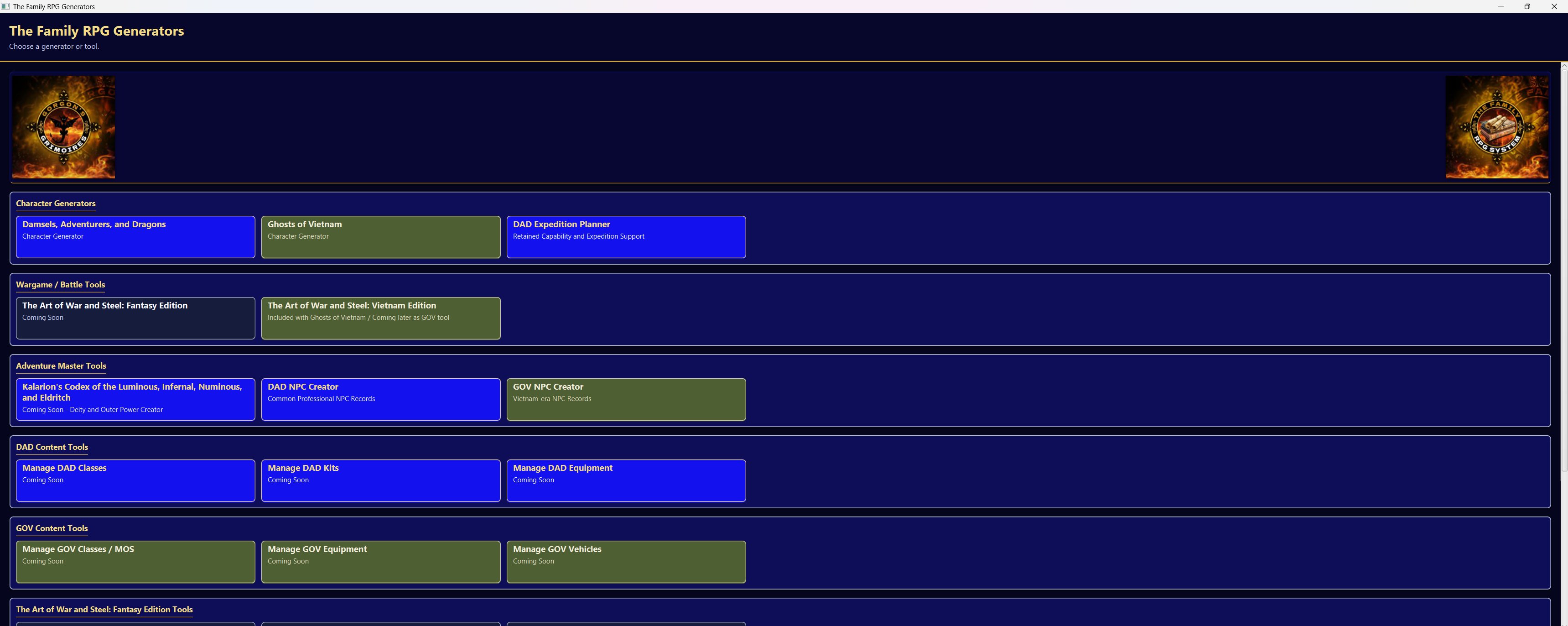
The old main menu grouped tools into sections, but the visual language was still raw and utilitarian. The cards looked like touch blocks, the spacing wasted desktop room, and the interface did not communicate a finished tabletop product. It was useful for development, but it was not acceptable as the face of The Family RPG Campaign Toolkit.
The Old DAD Character Generator: A Developer Utility, Not a Character Sheet
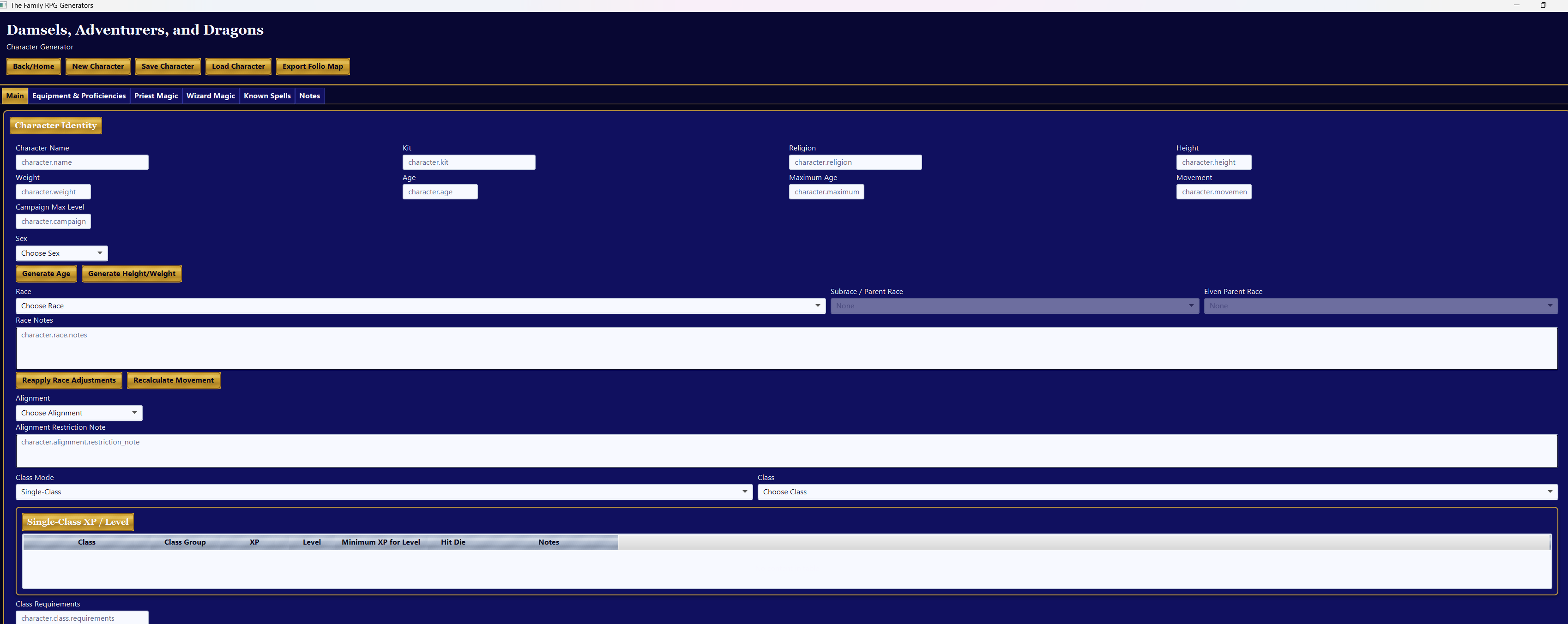
The old DAD screen was a working generator with tabs for the major areas, but the layout was cramped, the fields were small, and the presentation felt disconnected from the rulebook. It could hold data, but it did not invite a player to manage a character over a campaign and did not give an Adventure Master a polished tool.
The New Toolkit Launcher: DAD First, Cleanly Organized
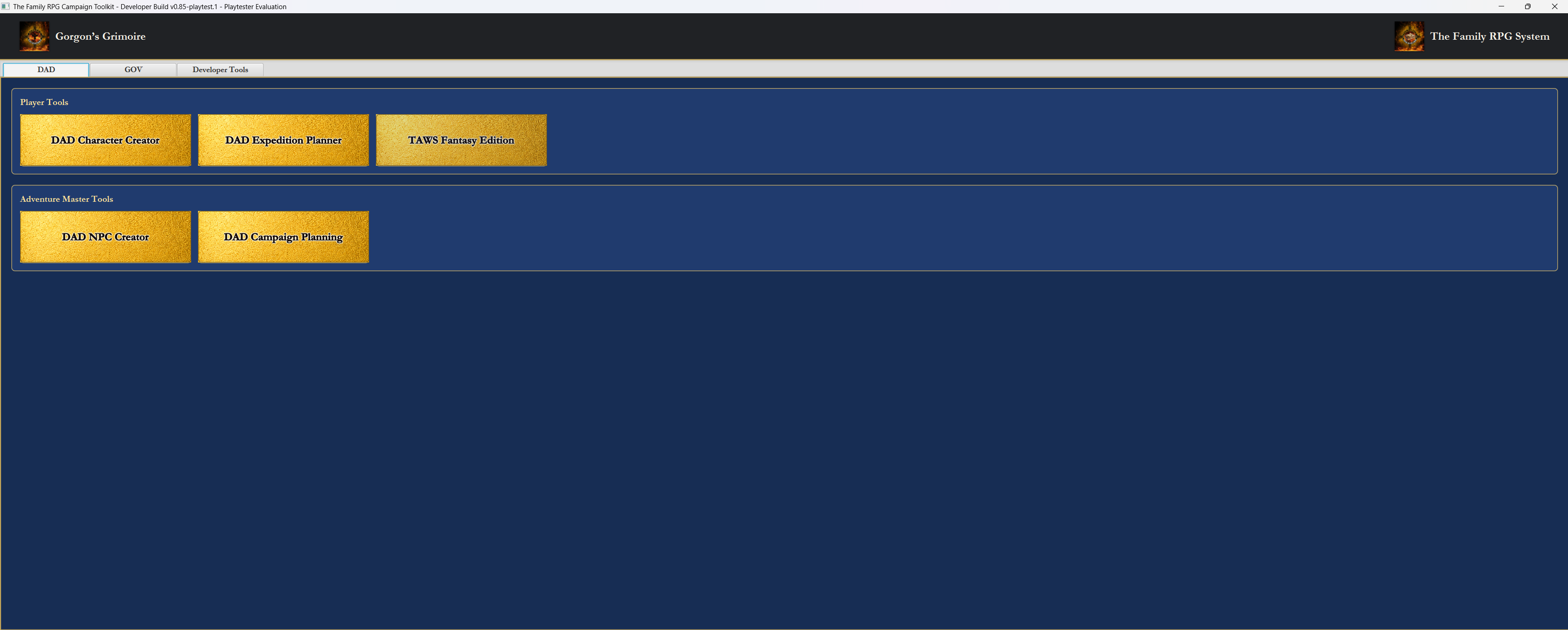
The new launcher has a branded header, DAD/GOV/Developer Tools tabs, Player Tools, Adventure Master Tools, DAD Character Creator, DAD Expedition Planner, TAWS Fantasy Edition, DAD NPC Creator, and DAD Campaign Planning. The visual language has changed: deep blue panels, gold parchment cards, clearer hierarchy, and desktop-first spacing.
Character Record: Identity, Class, Combat, and Core Numbers
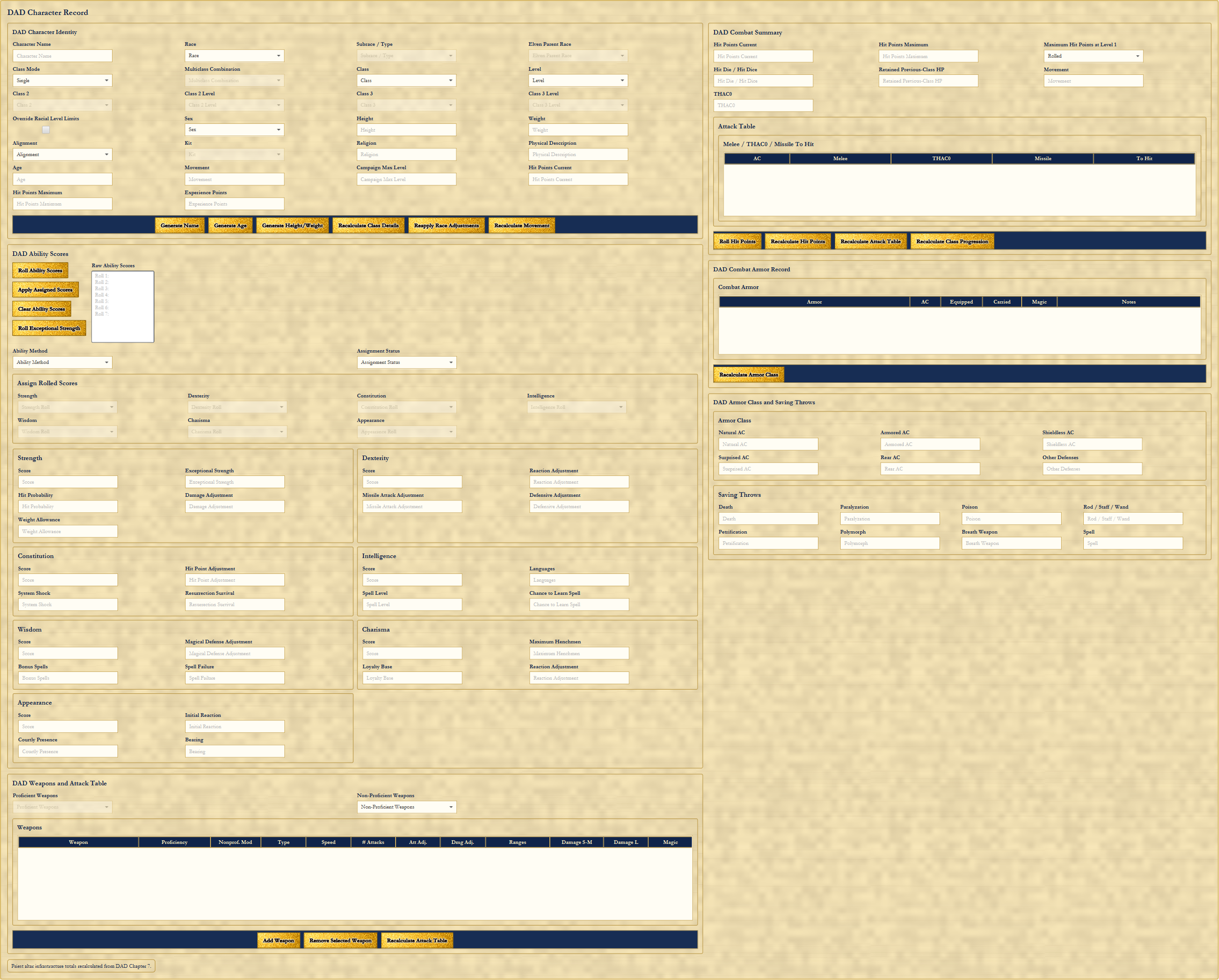
This page brings the core record into one serious workspace: character identity, race, subrace/type, elven parent race, class mode, class/class 2/class 3, levels, sex, kit, movement, religion, physical description, campaign max level, hit points, experience points, ability scores, Strength through Appearance, combat summary, attack table, armor record, Armor Class and saving throws, weapons, and the attack table. Automatic recalculation buttons, generated age/height/weight, hit point rolling, attack table recalculation, armor class recalculation, and the Override Racial Level Limits checkbox are all visible. Demihuman level limits are on by default, and the override is explicit.
Equipment and Proficiencies: The Bookkeeping Workhorse
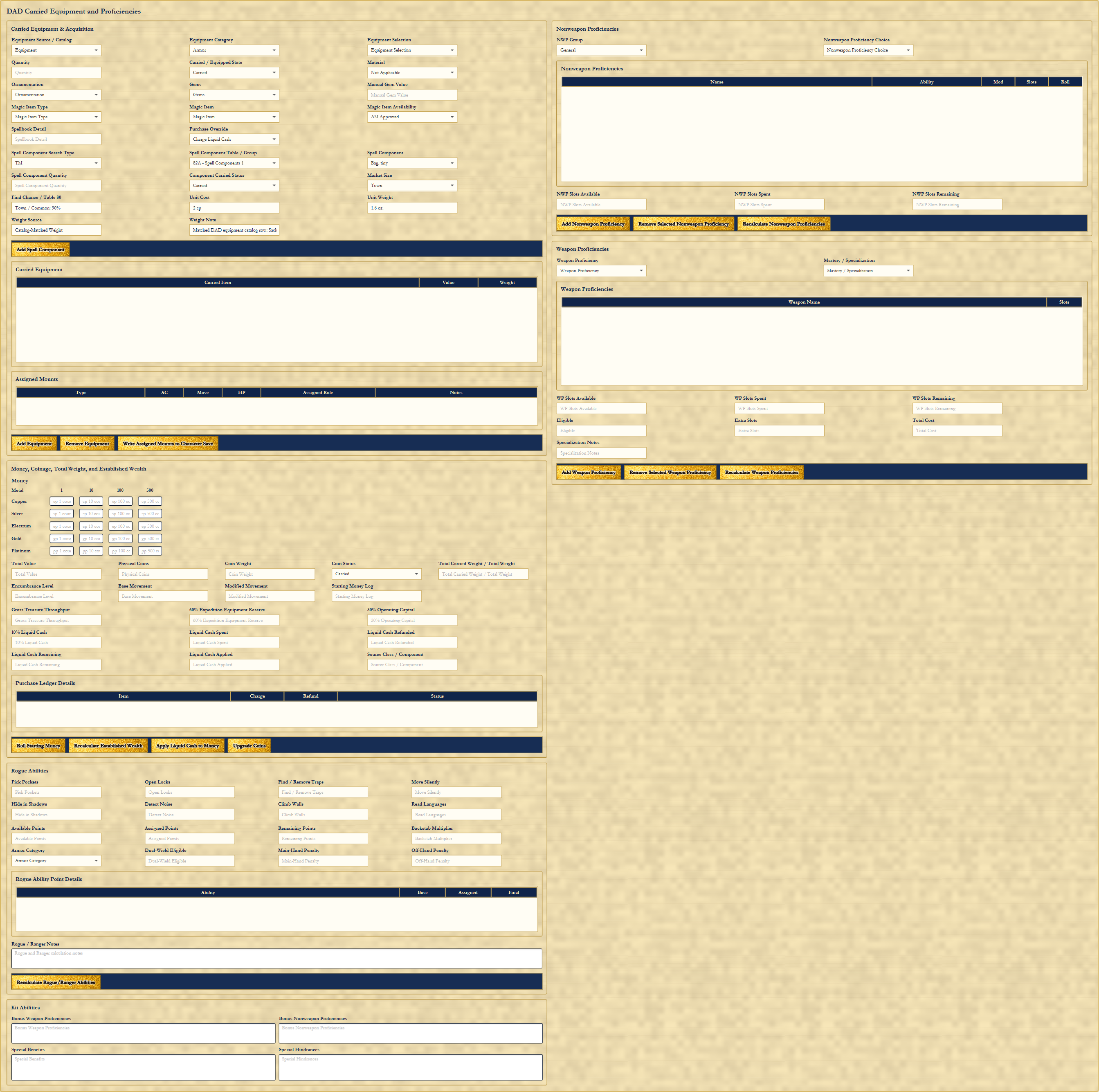
This page covers equipment category, equipment selection, carried/equipped state, material, quantity, ornamentation, magic item type, spell components, weights, item value, carried equipment table, assigned mounts, money and coinage, total weight, established wealth, liquid cash handling, purchase ledger, nonweapon proficiencies, weapon proficiencies, mastery/specialization, available/spent/remaining slot tracking, rogue abilities, armor category, backstab multiplier, dual-wield eligibility, kit abilities, bonus weapon and nonweapon proficiencies, special benefits, and special hindrances. It turns the dull bookkeeping into a usable play record.
Priest Spell Sheet: Spheres, Conduct, and Sacred Space
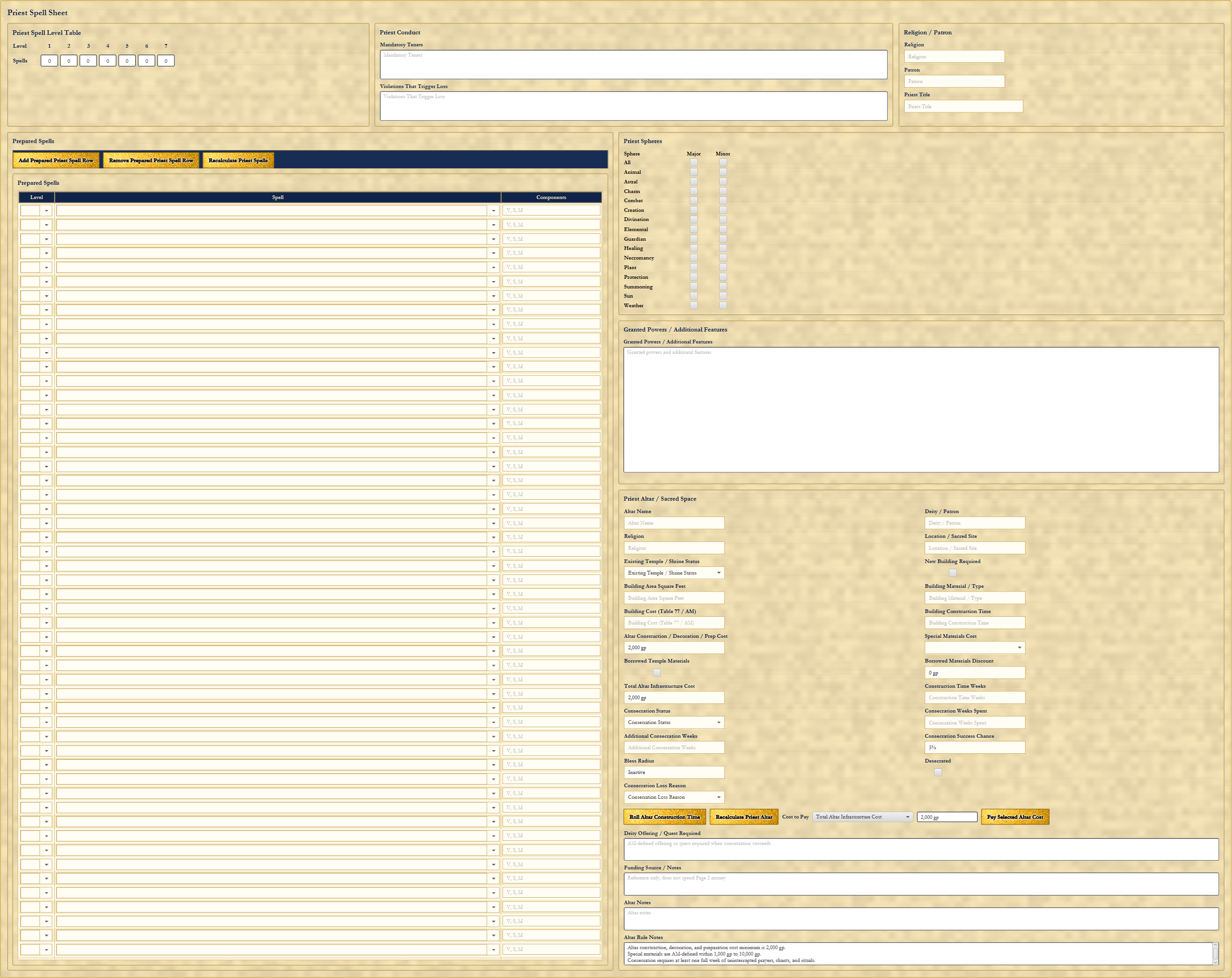
The priest page has the priest spell level table, prepared spell rows, Major and Minor sphere checkboxes, religion/patron/priest title fields, mandatory tenets, violation trap laws, granted powers, additional features, altar name, deity/patron, location/sacred site, shrine status, building material, square feet, altar construction cost, consecration status, construction time, resource/material discounts, desecration tracking, notes, and cost payment controls. Priest magic is not just a spell list. It includes conduct and sacred infrastructure.
Wizard Spell Sheet: Schools, Opposition, and Laboratory Support
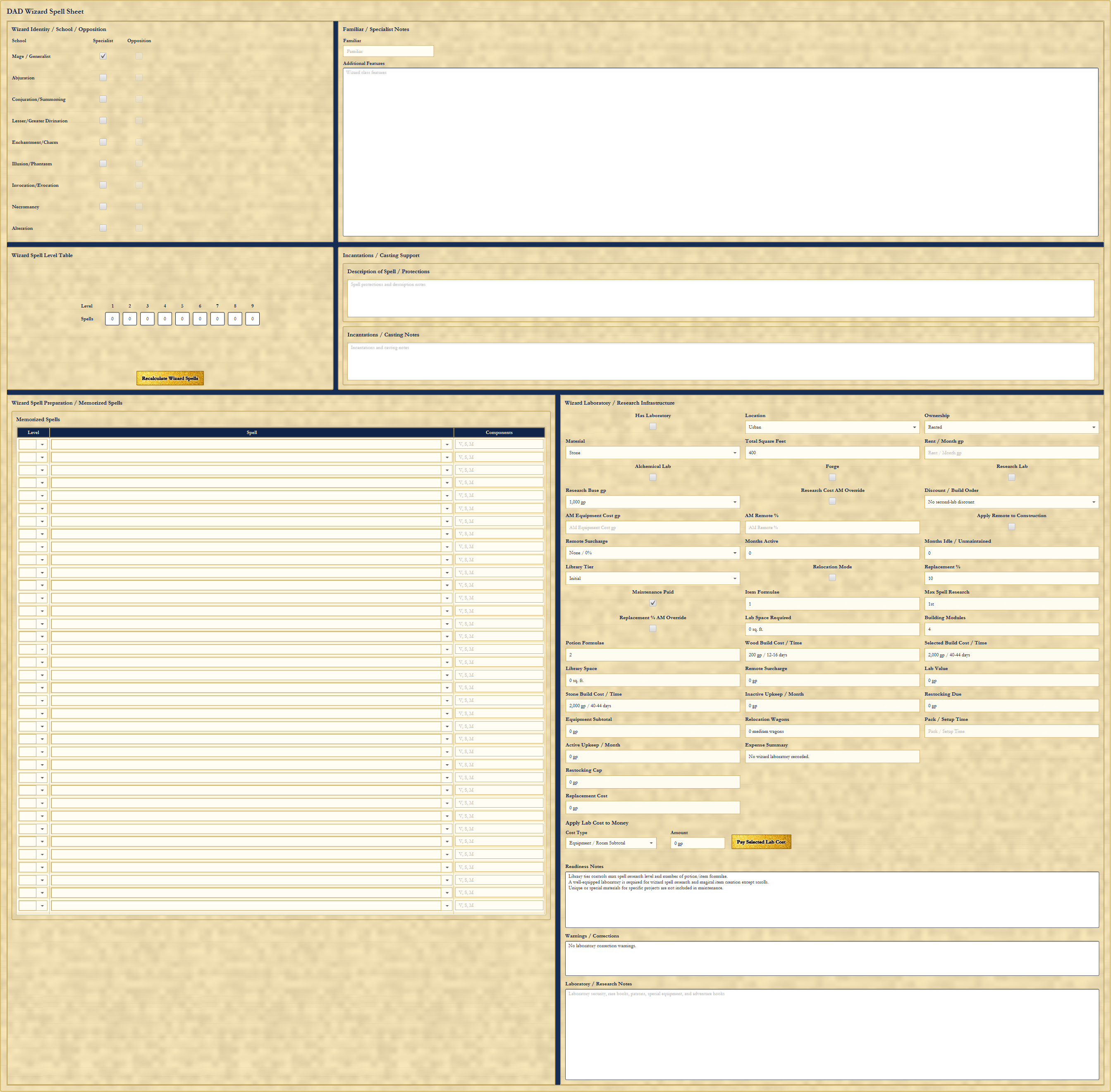
The wizard page covers school/specialist/opposition controls, automatic opposition school handling, wizard spell level table, memorized spell rows, familiar/specialist notes, additional features, incantation/casting support, casting notes, laboratory/research infrastructure, lab ownership, location, material, square footage, research base cost, research surcharge, monthly activity, formulas, build cost/time, maintenance, restocking, active upkeep, warnings, and laboratory notes. It supports the campaign life of a wizard, not just the daily spell list.
Known Spells and Spellbooks: Page Capacity Finally Matters
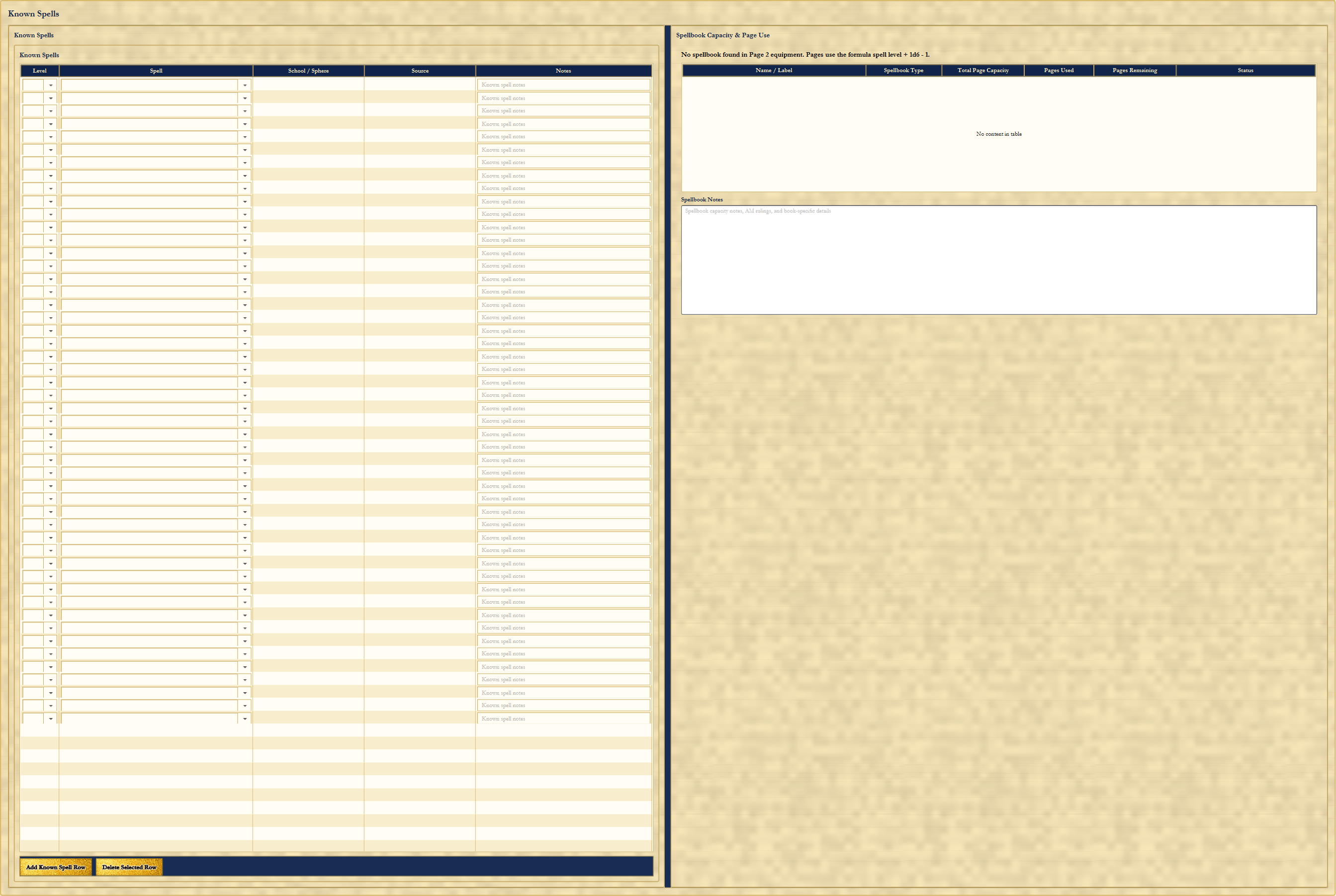
The Known Spells page has a spell table with level, spell, school/sphere, source, and notes. It also has spellbook capacity and page use tracking with name/label, spellbook type, total page capacity, pages used, pages remaining, and status. Buying or carrying a spellbook on the equipment page allows the spellbook to be tracked here. Spell entries consume pages, and the sheet can track whether a book has room left. Custom spellbook labels make it possible to track multiple books, including normal and traveling spellbooks.
Character Notes: Room for the Campaign
The Notes page is a deliberately large open notes area for backstory, campaign notes, player reminders, AM details, unresolved rulings, relationships, debts, curses, property, followers, long-term goals, and anything else that belongs with the character but does not deserve a cramped field.
The Point of the Rebuild
The old interface proved the rule logic could be built. The new interface proves the Toolkit can become something players and Adventure Masters will actually want to use. The rebuilt DAD Character Creator is the foundation for the broader Family RPG Campaign Toolkit ecosystem: character creation, expedition planning, NPC creation, campaign planning, and future connected tools.
The Family RPG Campaign Toolkit DAD Product Page Return to News