

DAD Expedition Planner Page Guide
The DAD Expedition Planner organizes the full logistical side of a Damsels, Adventurers, and Dragons expedition. It is built for the part of old-school play where the party stops being an idea and becomes a working body of people, animals, cargo, money, risk, and consequence.
The Expedition Planner is not just a checklist. It is the expedition’s campaign document. It answers the practical questions that matter before, during, and after the adventure: who is going, who is being paid, what animals and wagons are being used, what the group is carrying, how much the expedition costs, and how the expedition connects to the wider campaign.
The normal workflow is to begin with the people involved, then build the route, add animals and supplies, assign cargo and transport, and finish with funding, ledger, and export records. The expedition JSON save is the working record. Export reports, SillyTavern lorebooks, or campaign binder summaries are outputs, and they should be made only after the working save is current.
Page 1: Party, Members, Wages, and Hirelings
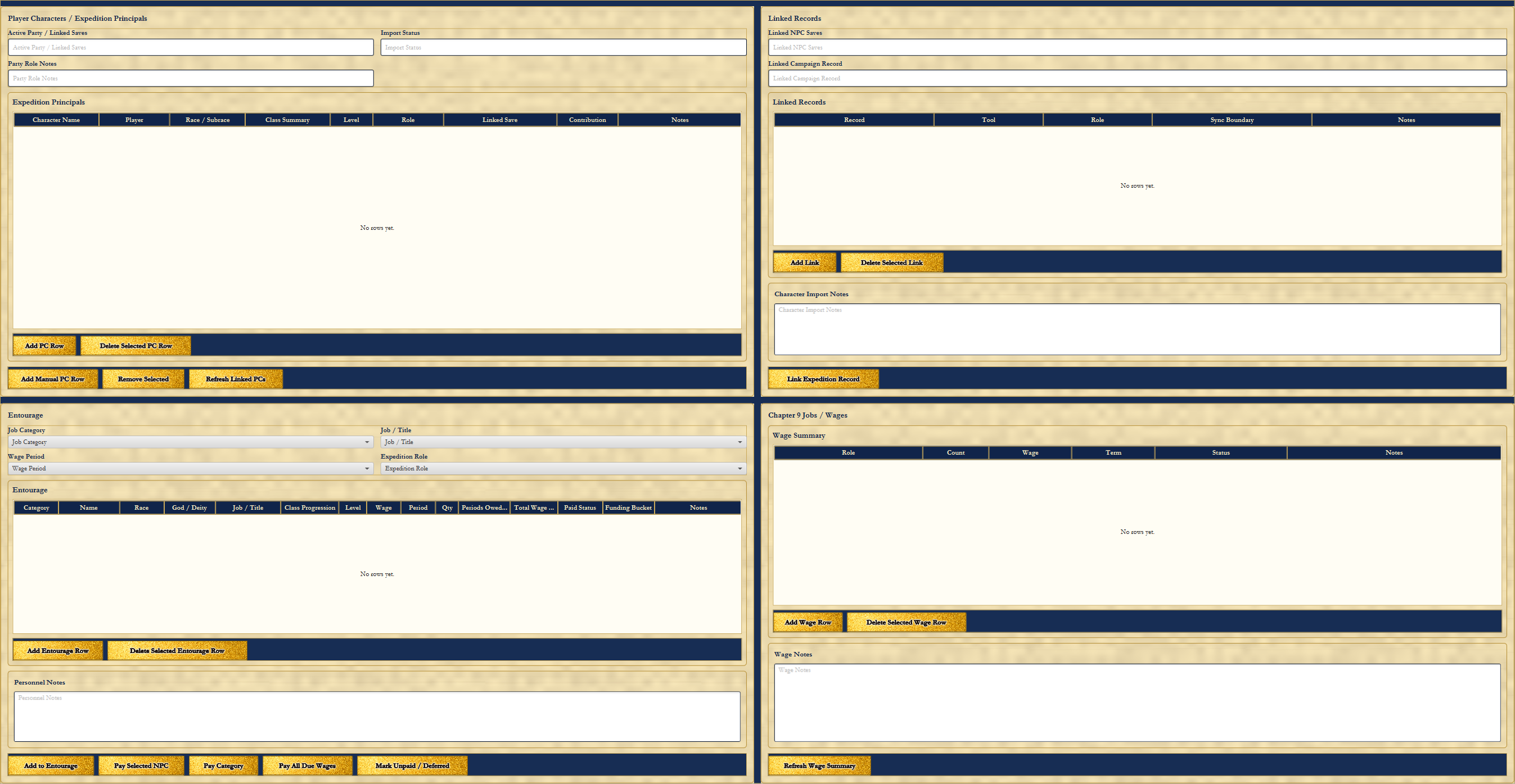
Page 1 begins with Player Characters / Expedition Principals. This is where the Active Party / Linked Saves field, Import Status, party role notes, and Expedition Principals table define the core people involved. A principal can be tied to a character name, player, race or subrace, class summary, level, role, linked save, contribution, and notes.
The Linked Records area keeps the expedition connected to the rest of the Toolkit. Linked NPC saves, linked campaign records, linked tool records, sync boundaries, character import notes, and expedition record links keep this page from becoming an isolated scratchpad. An expedition can point back to the people, campaigns, and tools that generated it.
The Entourage section is for the people who make old-school adventuring possible: hirelings, retainers, specialists, guards, porters, guides, animal handlers, teamsters, torchbearers, laborers, and support personnel. The page tracks job category, job/title, wage period, expedition role, class progression where needed, quantity, periods owed, paid status, funding bucket, personnel notes, and the Chapter 9 Jobs / Wages wage summary.
The wage controls are there because people expect to be paid. Pay Selected NPC, Pay Category, Pay All Due Wages, and Mark Unpaid / Deferred make wage obligations visible. Page 1 is the place to return whenever the expedition’s people, linked records, hirelings, retainers, or wage obligations need to be created or updated.
Page 2: Mounts, Pack Animals, Tack, Supplies, and Feed
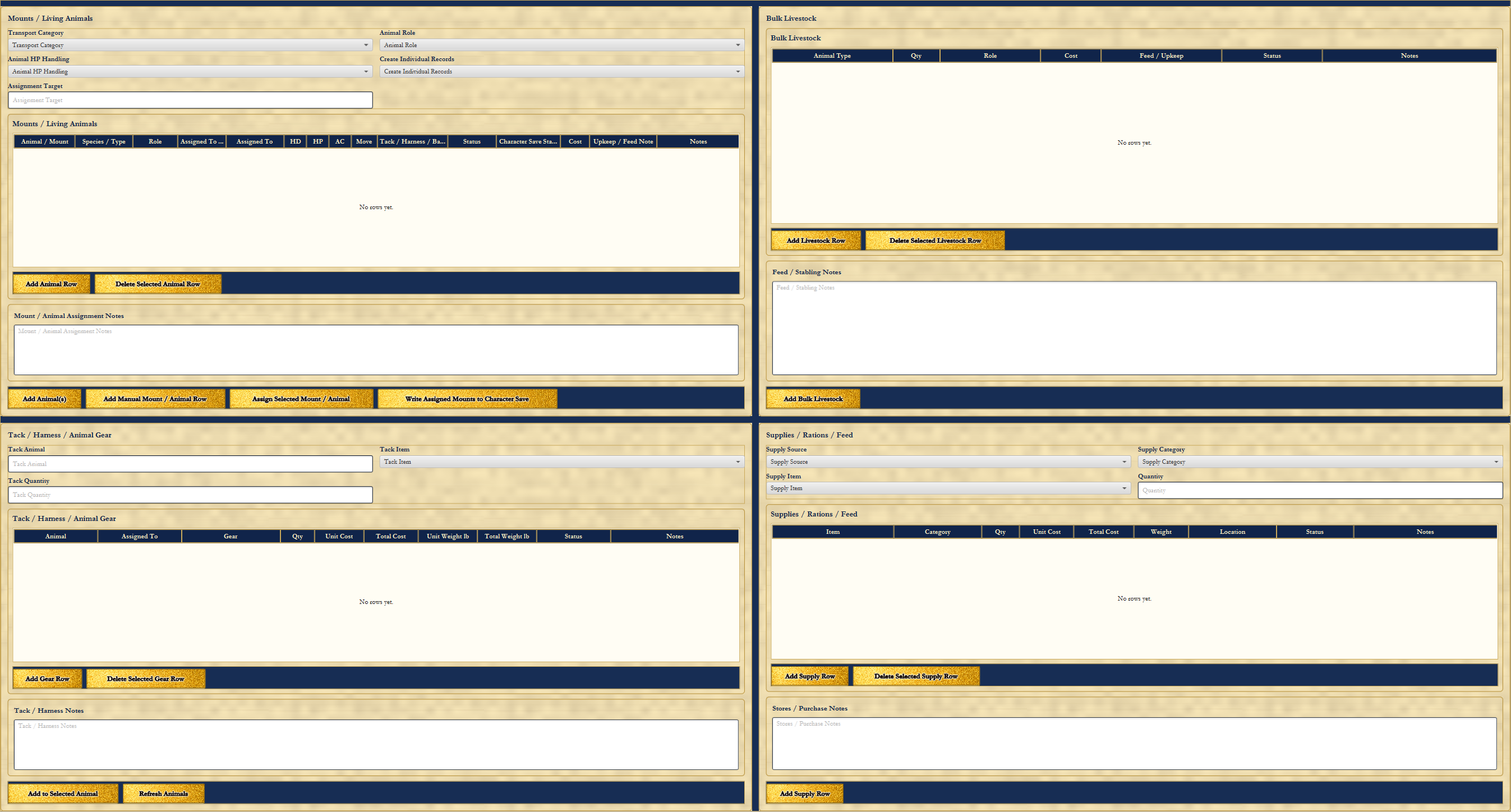
Page 2 is the animal and supply page. The Mounts / Living Animals section tracks transport category, animal role, animal HP handling, record creation behavior, and assignment target. It is built for riding horses, warhorses, ponies, mules, pack animals, draft animals, and other tracked animals that belong to the expedition.
The living animal table records animal or mount, species or type, role, assigned target, hit dice, hit points, Armor Class, movement, tack or harness, status, character save status, cost, upkeep or feed note, and notes. Controls such as Add Animal Row, Add Manual Mount / Animal Row, Assign Selected Mount / Animal, and Write Assigned Mounts to Character Save support the connection between expedition logistics and character records where that write-back is available.
Bulk Livestock exists for animals that matter to the expedition but do not need full mount records. Tack / Harness / Animal Gear covers saddles, harness, bridles, barding, packs, feed bags, draft harness, and related gear. The Supplies / Rations / Feed section tracks supply source, category, item, quantity, unit cost, total cost, weight, location, status, and notes.
Feed / Stabling Notes, Stores / Purchase Notes, Tack / Harness Notes, and Mount / Animal Assignment Notes make the practical details visible. Page 2 is where the expedition returns whenever animals are gained or lost, mounts are assigned, tack is purchased, feed is counted, stabling is recorded, livestock changes, or supply purchases need to be updated.
Page 3: Travel, Route, Pace, Lodging, and Services
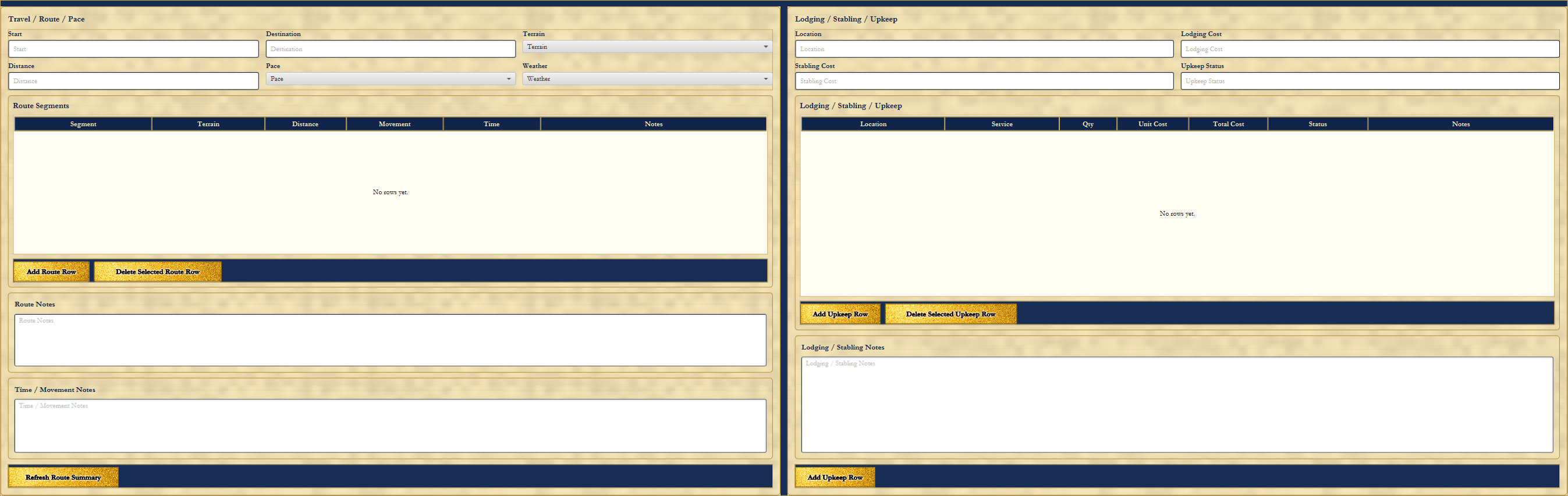
Page 3 turns movement into a record. The Travel / Route / Pace area tracks start, destination, distance, pace, terrain, and weather. The Route Segments table can record roads, trails, wilderness stretches, river crossings, mountain passes, guarded borders, hazards, planned stops, movement, time, and notes.
Route Notes and Time / Movement Notes give the Adventure Master and players room to record why a route matters. A trip across open road is not the same thing as pushing carts through mud, crossing a watched bridge, or losing two days to storms. Refresh Route Summary keeps the travel record aligned with the details entered on the page.
The Lodging / Stabling / Upkeep side records locations, services, quantity, unit cost, total cost, status, and notes. It can hold inns, rooms, meals, stables, animal boarding, storage, repairs, services, and temporary costs. Lodging / Stabling Notes keep the small but important details near the cost record.
Page 3 is the place to return whenever the expedition’s path, speed, timing, lodging, stabling, repairs, or travel services need to be recorded. It keeps the journey from becoming a handwave when the campaign wants distance, weather, time, and upkeep to matter.
Page 4: Cargo, Treasure, Encumbrance, Containers, Wagons, and Magic Cargo
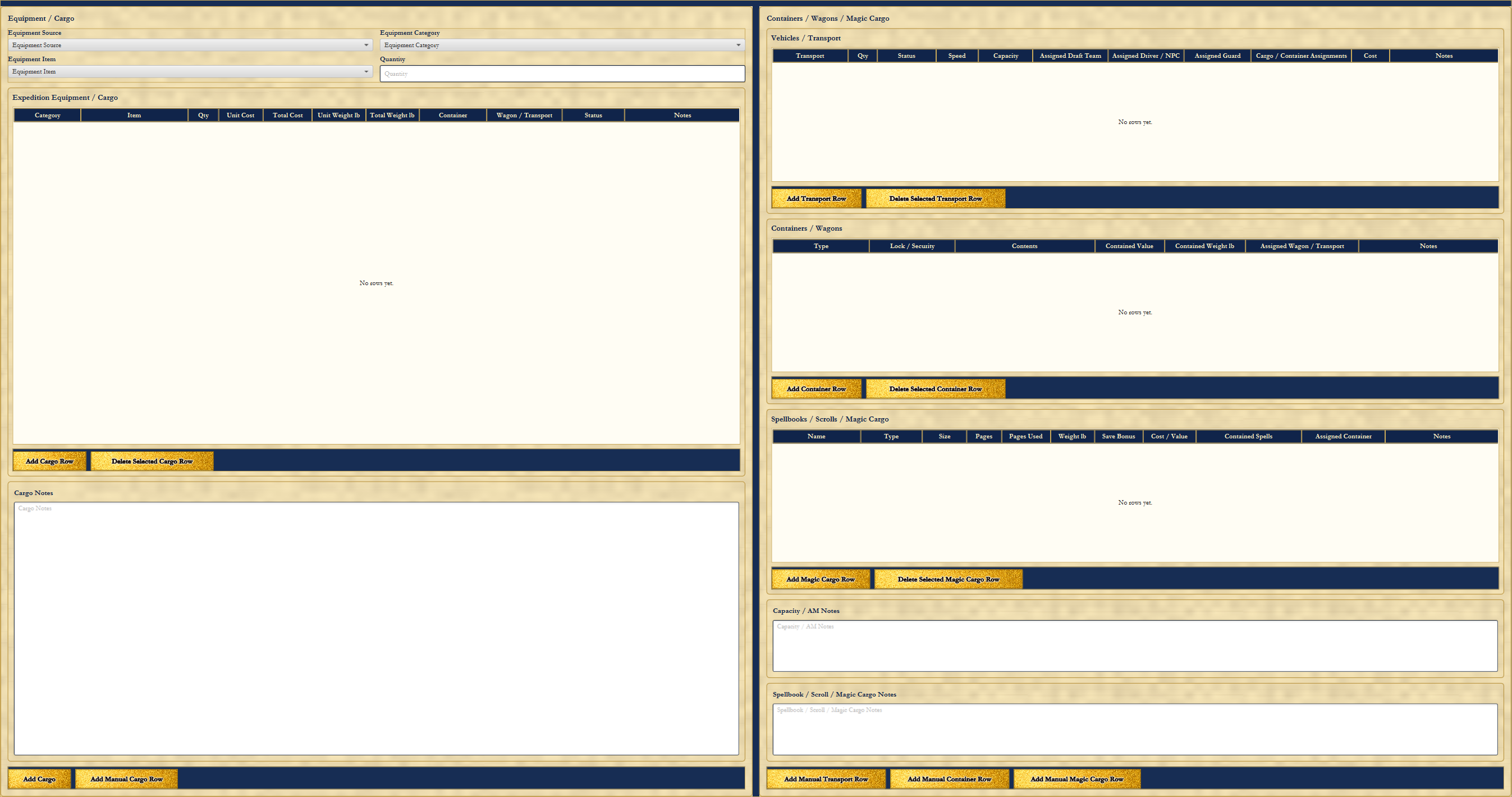
Page 4 is the cargo ledger. The Equipment / Cargo section tracks equipment source, equipment category, item, and quantity, then records the result in the Expedition Equipment / Cargo table. Cargo rows can include category, item, quantity, unit cost, total cost, unit weight, total weight, container, wagon or transport, status, and notes.
Add Cargo Row and Add Manual Cargo Row support both catalog-driven and table-created entries. Cargo Notes keep judgment, rulings, damage, ownership, access, spoilage, and dispute notes beside the cargo itself.
The Vehicles / Transport area tracks wagons, carts, boats, sledges, draft arrangements, assigned drivers or NPCs, assigned guards, cargo or container assignments, costs, and notes. Containers / Wagons track container type, lock or security, contents, contained value, contained weight, assigned wagon or transport, and notes. This is the difference between "we have treasure" and "the silver is in the locked chest on the second wagon guarded by the spearman we have not paid yet."
Spellbooks / Scrolls / Magic Cargo gives magical items the same logistical seriousness as mundane cargo. It can track name, type, size, pages, pages used, weight, save bonus, cost or value, contained spells, assigned container, and notes. Capacity / AM Notes and Spellbook / Scroll / Magic Cargo Notes provide room for rulings and special handling. Page 4 is the place to return whenever the expedition adds or removes cargo, assigns goods to containers, records wagons or transport, tracks spellbooks or scrolls, or needs a clear statement of what is being carried and where it is stored.
Page 5: Expedition Overview, Cost Summary, Funding, Ledger, and Exports
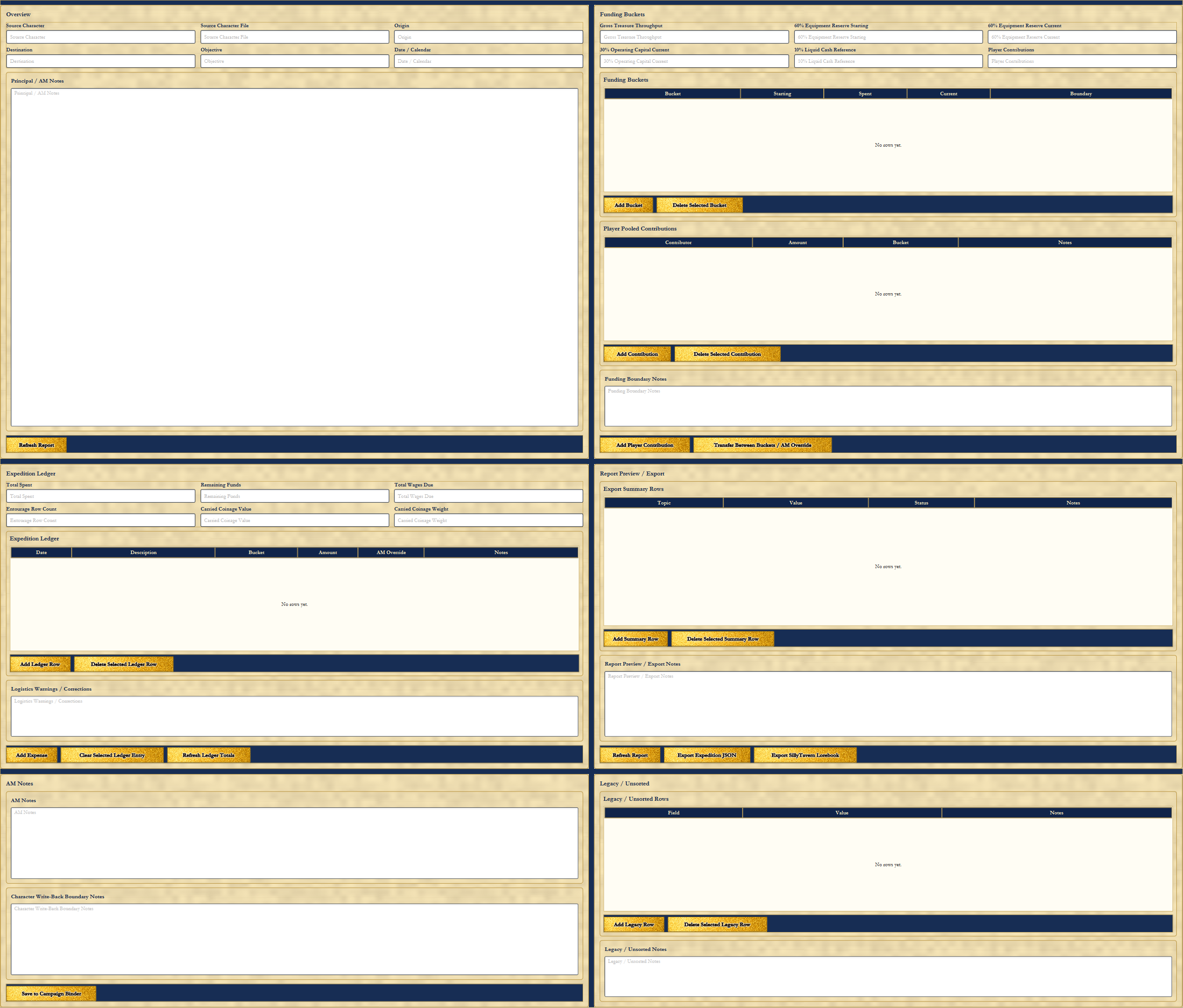
Page 5 gathers the expedition into one master record. The Overview section includes source character, source character file, origin, destination, objective, date or calendar, and Principal / AM Notes. It is the front summary for what the expedition is, where it starts, where it is going, and why it exists.
Funding Buckets make the money visible. The page can track gross treasure throughput, equipment reserve, operating capital, liquid cash reference, player contributions, current bucket values, boundaries, and notes. Player Pooled Contributions record who contributed what and where those funds belong. Transfer Between Buckets / AM Override exists for deliberate table decisions, not hidden math.
The Expedition Ledger tracks expenses, remaining funds, wages due, entourage row count, carried coinage value, carried coinage weight, ledger rows, and notes. Add Expense and Refresh Ledger Totals keep the financial record current. Logistics Warning / Corrections, AM Notes, and Character Write-Back Boundary Notes give the tool a place to flag problems, rulings, and limits.
The Report Preview / Export area supports report rows, report notes, Export Expedition JSON, Export SillyTavern Lorebook, Save to Campaign Binder, and Legacy / Unsorted records. Page 5 is where the expedition becomes ready for play, review, handoff, and campaign continuity.
Recommended Page Order for a New Expedition
- Page 1: Add player characters, linked records, entourage members, hirelings, and wages.
- Page 2: Add mounts, pack animals, livestock, tack, feed, and supplies.
- Page 3: Enter the route, travel pace, terrain, weather, lodging, stabling, and upkeep.
- Page 4: Add cargo, treasure, containers, wagons, transport, spellbooks, scrolls, and magic cargo.
- Page 5: Review funding, contributions, ledger totals, warnings, report preview, exports, and campaign binder handoff.
After completing the pages needed by the expedition, save the expedition JSON. Export reports, SillyTavern lorebooks, or campaign binder summaries only after the working save is current.
Practical Use Pattern
The Expedition Planner works best when treated as a living expedition document. It is not something to fill out once and forget. The party changes, the route changes, expenses pile up, animals get assigned or injured, treasure gets loaded into wagons, and the campaign keeps moving.
Return to Page 1 when a hireling is added, dismissed, paid, or deferred. Return to Page 2 when an animal is bought, assigned, injured, stabled, or supplied. Return to Page 3 when the route changes, the weather matters, or lodging and services are purchased. Return to Page 4 when treasure or cargo is gained, lost, moved, locked up, loaded, or assigned to transport. Return to Page 5 when costs are paid, funds are transferred, warnings need review, or the expedition is ready for export.
Treated this way, the Expedition Planner tracks the expedition as a working organization with people, animals, supplies, money, cargo, risks, and consequences. That is the old-school heart of it. The adventure starts before the dungeon door, and the records should be strong enough to follow it back home.
The Family RPG Campaign Toolkit Toolkit Articles DAD Character Creator Page Guide DAD Product Page